
Solution 08 of 08
One control room. Every truck, driver, and alert on the wall.
Big-screen control-room dashboards, a dedicated driver mobile app, and real-time bidirectional communication between dispatch and the field — including one-tap SOS.
The business problem
What this solves
Operations centres without a unified view
Dispatchers, supervisors, and managers each watch their own screens. Critical events surface late, and coordinated response is slow.
Driver instructions through fragmented channels
Text messages, phone calls, paper schedules, verbal handoffs. Information gets lost, instructions get misinterpreted, and accountability disappears.
Safety events need faster escalation
Driver injuries, vehicle accidents, hostile situations, and medical emergencies need immediate operations awareness. Without a built-in SOS, drivers rely on personal phones in moments where seconds matter.
What it looks like on the ground
- Critical events discovered on the next shift instead of in the next minute
- Drivers working from yesterday's paper schedule after the plan changed
- No record of what was communicated, to whom, or when
- Emergencies escalating through personal phone calls and luck
How iQlynx solves it
Connected Field Operations, connected
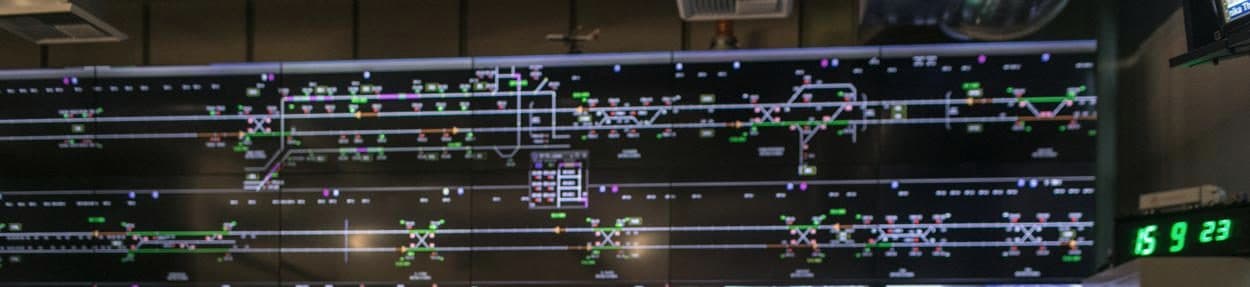
iQlynx connects the control room and the cab. Big-screen dashboards give operations a complete situational view — live KPIs, regional fleet map, alerts panel, and shift status — while the driver mobile app delivers routes, assignments, and messages to the field and brings confirmations, updates, and SOS alerts back. One channel, both directions, fully recorded.
Core capabilities
What it does
Control-room dashboards
Big-screen displays designed for operations centres, not laptops.
Live operational KPIs
Plan status, bin status, violations, and performance updating in real time.
Regional fleet map
Complete situational view of the fleet across the operating area.
Live alerts panel
Every alert stream — safety, geofence, schedule — on the control-room wall.
Shift overview
Schedule and shift status at a glance for supervisors and handoffs.
Driver mobile app
Optimized routes, stops, and assignments delivered to driver phones.
One-tap SOS
Emergency alert with location and context, straight to operations.
Bidirectional messaging
In-app communication between drivers and dispatch — recorded and accountable.
Who it's for
Built for these roles
- Operations directors
- Dispatch supervisors
- Safety officers
- Shift supervisors
Best fit: Fleets with 30 or more vehicles — particularly operations with formal control rooms or 24/7 dispatch.
Industry application
Where it earns its keep
Municipal & large commercial
The visible operational backbone: shift handoff, supervisor escalation, management visibility.
Urban food & last-mile
Time-window operations live or die on driver-dispatch coordination.
Aggregate & construction
Pit-to-site coordination across locations; SOS is critical for remote operations.
General logistics
Standardizes operations across terminals and replaces fragmented tooling.
Operational workflow
How it runs, day to day
- 1
Display
Control-room screens show KPIs, map, alerts, and shifts live.
- 2
Dispatch
Routes and assignments reach driver phones through the app.
- 3
Communicate
Messages flow both ways on one recorded channel.
- 4
Escalate
SOS and high-severity alerts reach operations in seconds.
- 5
Hand off
Shift status and open items transfer cleanly between teams.
Integrations & data sources
Where the data comes from
- All live platform data (position, weight, fuel, alerts, shifts)
- Driver mobile app confirmations and messages
- Dispatch schedules and assignments
- Alert and escalation rules
Device and integration compatibility is validated during the pilot — see devices & sensors.
Value framework
Where the return comes from
Connected field operations compress the distance between an event and a response — and make the whole operation visible to the people running it.
Dispatcher capacity
Unified visibility lets each dispatcher handle more routes with less phone traffic.
Incident response
Live alerts and SOS cut response time to safety events and customer issues.
Driver experience
Modern tools and clear communication reduce the daily friction that drives turnover.
Operational accountability
Every instruction, confirmation, and escalation is recorded.
FAQ
Common questions
Do we need a physical control room to benefit?
No. The dashboards are designed for big screens but run anywhere. Fleets without a formal operations centre typically start with supervisor workstations and wall displays in dispatch.
What phones does the driver app support?
Standard modern smartphones. Specific OS version requirements are confirmed during implementation, and rollout includes driver onboarding support.
How does the SOS function work?
A driver taps SOS in the app; operations immediately receives an alert with the driver's identity, location, and vehicle context, and the escalation is tracked until resolved.
Can it replace our radio and text-message dispatch?
For most day-to-day coordination, yes — assignments, updates, and messages move to one recorded channel. Many operations keep radio for specific workflows; the two coexist fine.
See Connected Field Operations on your own operation.
A 45-minute demo with your operation's questions — fleet size, devices, routes, and contracts — answered directly.